|
web and software design for non-profits. |
|
|
The Text Trix™ editor is an open-source, cross-platform text editor with a mind for user-friendly file and text navigation. Text Trix started out as a homegrown project and continues to focus on simplifying the process of reading and navigating through many files and tons of text. Whether you use it for general file reading or programming, we hope you'll find it useful. And as an open-source program, feel free also to extend/improve it through bug reports, patches, or plugins! We have recently migrated the repo to GitHub. Check it out! |
|
ReviewsDescribed as a mix of Word and Firefox: "Word, so schnell und komfortabel wie Firefox" (Word, as fast and comfortable as Firefox) by CHIP.de. 
Reviewed on AddictiveTips, which described it as "an advanced editor" with "advanced options and features...useful for professional users." Ranked among "The 50 Best Java Tools" on Download.CHIP.eu.
|
The Downlo
System Requirements: Text Trix is a multi-platform, Java-based text editor that requires Java 6 or higher (tested on Java 8-11 on Windows 10, Ubuntu 18.04, MacOS 10.13) To use, unzip and run TextTrix.jar. No installation required, so you may run it portably as well. If your system requires Java 1.4/1.5, you can still use Text Trix <= 0.9.4. Prior releases on SourceForge |
A Bit About Text Trix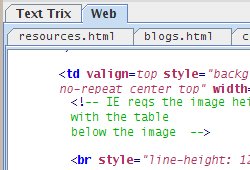
New for Text Trix 0.9.0: View and edit source code with syntax highlighting. Wrap-indent ensures that you'll never have to scroll horizontally again! 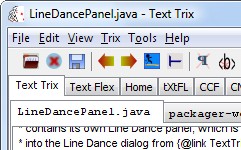
Open multiple files in tabs, and collect similar files into tab groups. Flip between many files with tab history buttons or shortcuts. 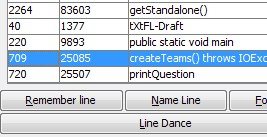
Dance among multiple lines with Line Dance. Lines (and text) can be saved and returned to with a click. How can I write my own plug-in? See the plugin writing guide for how to write and package your own Text Trix plug-in. |
|
 Download Text Trix
Copyright © 2002-18, Text Flex | Official stuff | Contact us